
Print on Demand Shopify Integration
Connect your Shopify store with Pengine, create custom products, sync orders, and run print-on-demand fulfillment from one connected workflow.
- Connect your Shopify store with Pengine
- Create and sync products
- Receive Shopify orders automatically
- Manage fulfillment from Pengine
- No setup fees or monthly subscription
Connect Shopify with
Pengine
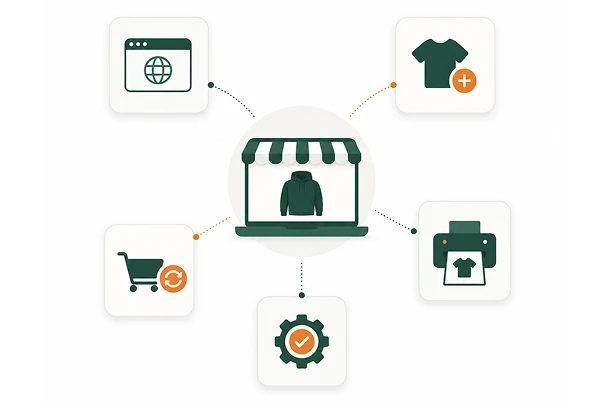
Pengine helps Shopify sellers connect their store with a print-on-demand fulfillment workflow.
Once your store is connected, you can create products in Pengine, sync them with Shopify, receive customer orders, and move those orders into fulfillment without manually copying details between platforms.
The Pengine Shopify Integration is built for apparel sellers who want a simpler way to manage product creation, order sync, and fulfillment while keeping Shopify as their main storefront.
How Pengine Integrates with
Shopify
Connecting Shopify with Pengine is simple for sellers, but it runs on the right workflow behind the scenes.
1-Click Store Connection
Connect your Shopify store with Pengine in just a few steps. No custom coding or complex setup required.
Product Sync
Create products in Pengine and sync them with your Shopify store, including product details, images, sizes, colors, and variants.
Order Sync
When a customer places an order on Shopify, the order can move into your Pengine fulfillment workflow automatically.
Fulfillment Updates
Keep your order workflow connected so fulfillment progress and shipping updates can stay easier to manage.
Centralized Dashboard
Manage products, designs, orders, and fulfillment activity from your Pengine dashboard instead of handling everything manually.
Built for Shopify
Print-on-Demand Sellers
Selling print-on-demand products through Shopify should not mean managing every order manually.
Pengine gives Shopify sellers a connected workflow for product creation, order sync, and fulfillment management. This helps reduce repetitive work and gives you more time to focus on sales, product strategy, and brand growth.
Pengine is useful for Shopify sellers who want to:
- Launch print-on-demand products faster
- Avoid manual order entry
- Keep products and variants organized
- Sync Shopify orders with fulfillment
- Reduce backend operational work
- Manage apparel fulfillment more easily
- Grow without holding inventory
Create Products for Shopify
Use Pengine to create custom products and prepare them for your Shopify store.
You can choose products, upload your designs, position artwork, generate product visuals, and prepare product data before syncing to Shopify.
Product creation can include:
- Product title
- Product description
- Product images
- Product variants
- Size options
- Color options
- Design placement
- Product publishing workflow
Bulk Design Upload
If you manage many designs, uploading them one by one can slow down product creation.
Pengine’s bulk design upload feature helps you add multiple designs faster, making it easier to create product variations, launch collections, and prepare larger product sets for Shopify.
Bulk design upload helps with:
- Faster design importing
- Easier product creation
- Larger catalog setup
- Collection-based product launches
- Less repetitive manual work
Sync Products with Shopify
Product sync helps move your Pengine product data into Shopify without rebuilding every product manually.
This is especially useful for apparel products with multiple sizes, colors, images, and variants.
Shopify product sync helps you manage:
- Product details
- Product images
- Variants
- Sizes
- Colors
- Product status
- Store publishing
Sync shopify orders with
pengine
Order sync is one of the most important parts of a print on demand Shopify integration.
When a customer buys from your Shopify store, the order needs to move into fulfillment accurately. Pengine helps connect that order flow so you do not need to manually send every order for production.
Shopify order sync helps you:
- Receive Shopify orders in Pengine
- Reduce manual order processing
- Keep customer order details connected
- Move orders into fulfillment faster
- Manage fulfillment from one workflow
- Reduce operational mistakes as order volume grows
Steps, How-To Guide, and Videos
Shopify Setup Steps
Follow a simple setup flow to prepare your Shopify store and Pengine account before connecting.
How to Connect Shopify with Pengine
Link your store, authorize the connection, and get ready to sync products and orders.
Video Tutorial
Watch a short walkthrough that shows how the Shopify integration works from start to finish.
Troubleshooting Guide
Find answers to common setup, sync, and fulfillment questions if something needs attention.
Why Use Pengine’s Shopify
Integration?
The Pengine Shopify Integration is designed to simplify the operational side of running a Shopify print-on-demand business.
Instead of creating products manually, checking orders one by one, and coordinating fulfillment outside your store workflow, Pengine helps connect the important parts of your process.
Key benefits:
Faster Shopify product setup
Create products in Pengine and prepare them for your store.
Less manual order work
Shopify orders can move into the Pengine workflow.
Cleaner product management
Keep designs, products, and variants easier to organize.
Easier fulfillment workflow
Manage print-on-demand fulfillment without manually forwarding every order.
Better scaling foundation
Build a workflow that can support more products and more orders over time.
Who Should Use This Integration?
The Pengine Shopify Integration is best for sellers who use Shopify as their storefront and want a simpler way to manage print-on-demand fulfillment.
Best-fit users include:
- Shopify apparel sellers
- Print-on-demand store owners
- T-shirt brands
- Hoodie brands
- Creator merch stores
- Streetwear sellers
- Fitness apparel stores
- Agencies managing Shopify merch stores
- Existing Shopify stores adding custom products
What You Need Before
Connecting Shopify
Before connecting your Shopify store with Pengine, it helps to have a few basics ready.
Recommended before setup:
- An active Shopify store
- A Pengine account
- Product ideas
- Designs or design files
- Basic pricing plan
- Product descriptions
- Store policies
- Shipping expectations
You do not need to hold inventory before connecting. Pengine is designed to support a print-on-demand workflow where products are fulfilled after customers place orders.
No Setup Fees.
No Subscription Needed.
Start with Pengine without setup fees or monthly subscription pressure.
Connect your Shopify store, create products, and build your print-on-demand workflow without paying upfront just to access the platform.
Frequently Asked
Questions

The Pengine Shopify Integration connects your Shopify store with Pengine so you can sync products, receive orders, and manage print-on-demand fulfillment through a connected workflow.
Connect Shopify with
Pengine
Create products, sync orders, and run your print-on-demand Shopify workflow with less manual work.